Which Type Fits When?
A good outdoor escape course is not about making every station as complicated as possible. It is about players doing something at the place: looking, counting, comparing, sorting, moving, recognizing details and talking to each other. Puzzle types are tools for that. You do not have to use every type, but you should switch consciously. Most important: this is not a test and not exam pressure. Players should have fun, arrive at ideas together and enjoy finding a solution.
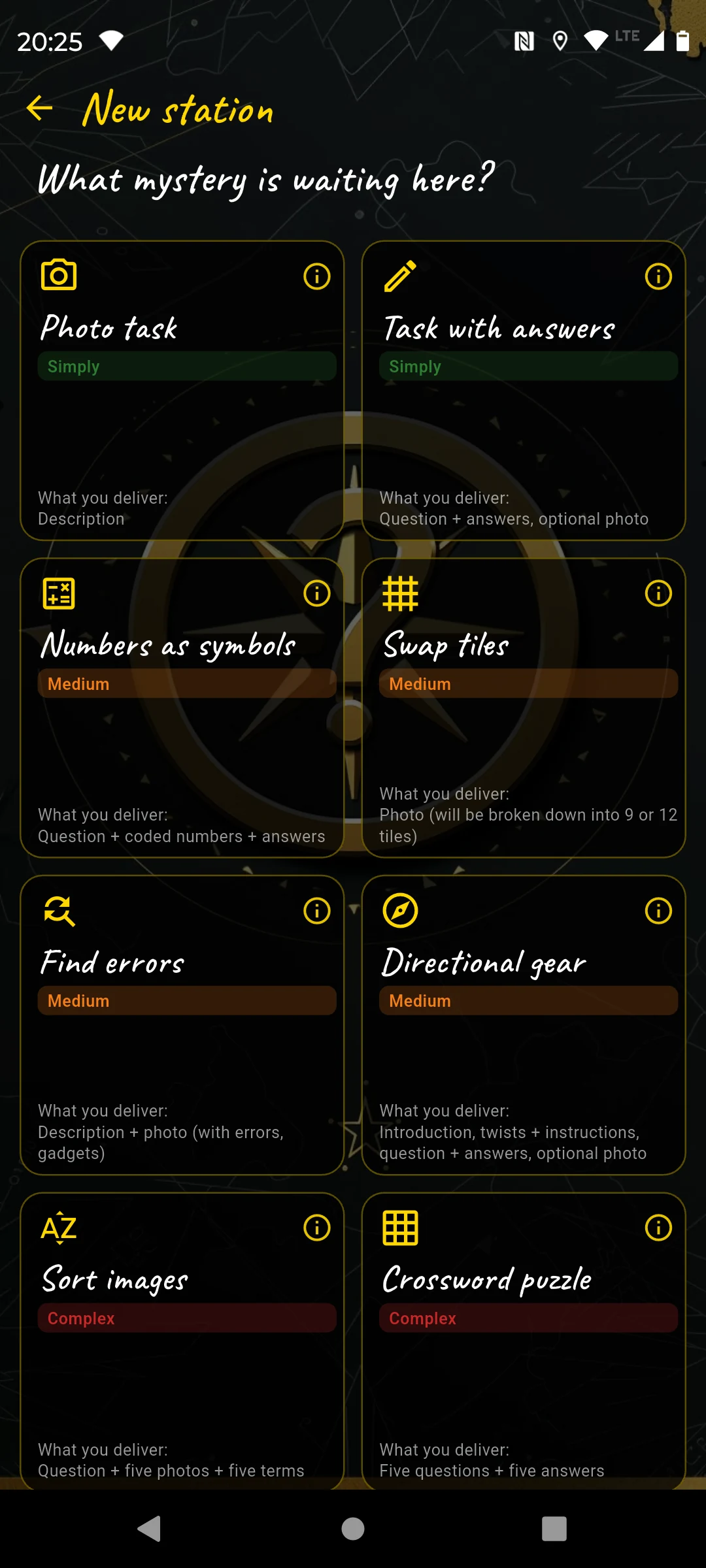
The editor selection: each type asks for a different kind of observation.
The solution should be fair to verify on site. A puzzle may be challenging, but it should feel like play, not like an exam. If players only guess or google, the place is not involved strongly enough.
1. Photo Task easy
The photo task is the lowest-threshold type. Players do not solve a classic riddle; they complete a small camera action. It is ideal to get groups moving, create a memory and give everyone a breather after a harder station.
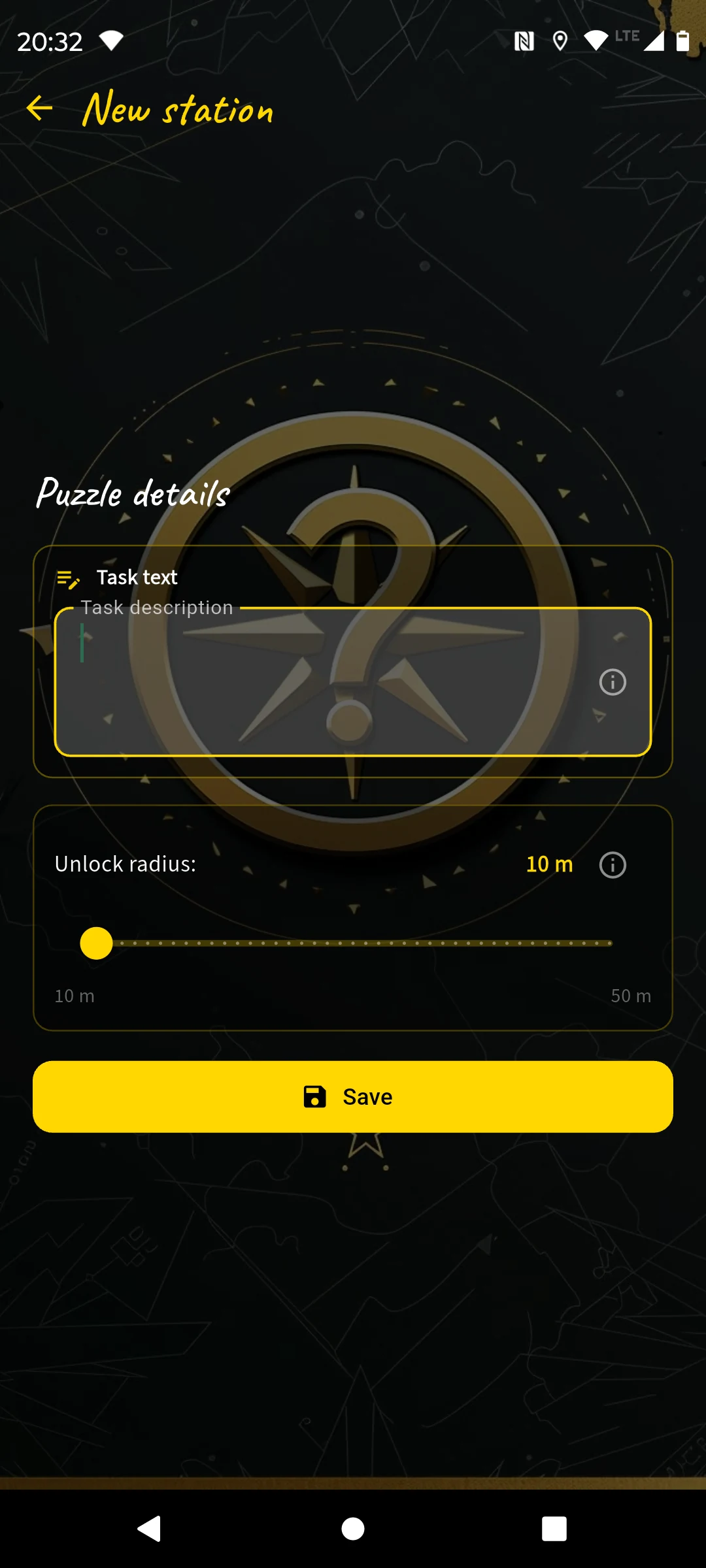
You mainly enter a clear task. The app does not check an answer word.
| Field | What you enter |
|---|---|
| Task text | A concrete photo instruction: what should be in the picture, from where, with whom or in which pose? |
| Search image | A picture of this station for the course-wide search-image task. Later players see all search images and choose at each station which image fits this place. |
| Unlock radius | Usually 10 to 20 m. Use a slightly larger radius on big squares. |
Separately from the search image, you can choose an optional thumbnail in the course details for the public course list. It should show the starting area or a typical motif and is optimized to a maximum of 512 × 512 px. Without a custom thumbnail, the app automatically uses the first station image.
When to use it?
Best in the first third or after a demanding station. As the very first station it is often too thin because players have not yet learned how solving in the app works. As a small reward or group moment it is very strong.
Place: town fountain on the market square
Task: “Take a group photo showing the fountain and at least one outstretched hand.”
Why it works: the picture becomes a memory. It is easy, quick and brings the group together.
Best Practices
- Make the instruction so clear that the group immediately knows what must be visible.
- Use it for emotional moments: selfie at the goal, celebration pose, team photo, birthday person in front of the clue.
2. Question with Answers very flexible
This is the most flexible puzzle type. You ask a question, define one or more accepted answers and can add a task photo plus hints. It works for counting questions, inscriptions, hidden details, simple codes, wordplay and observations.
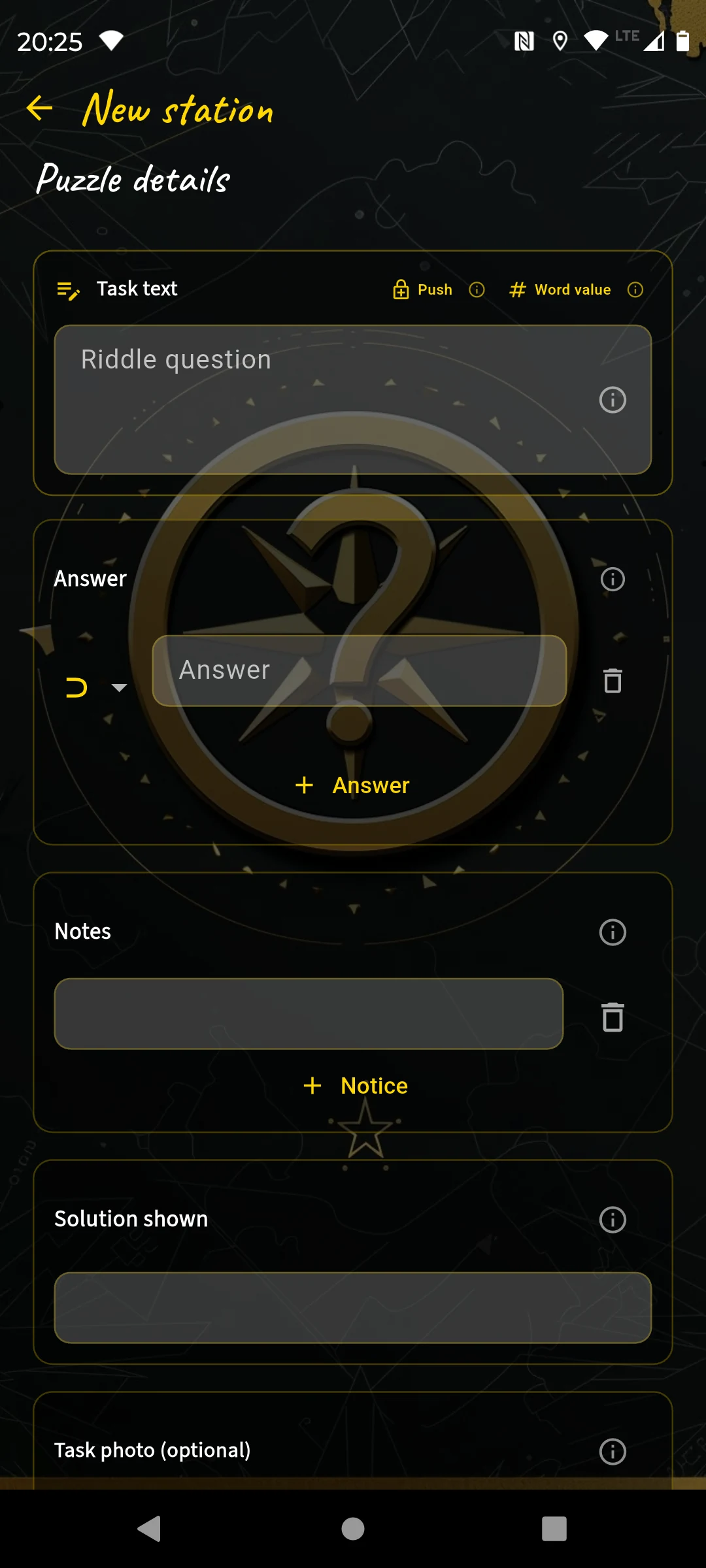
Question, answer rules, hints and optional task photo.
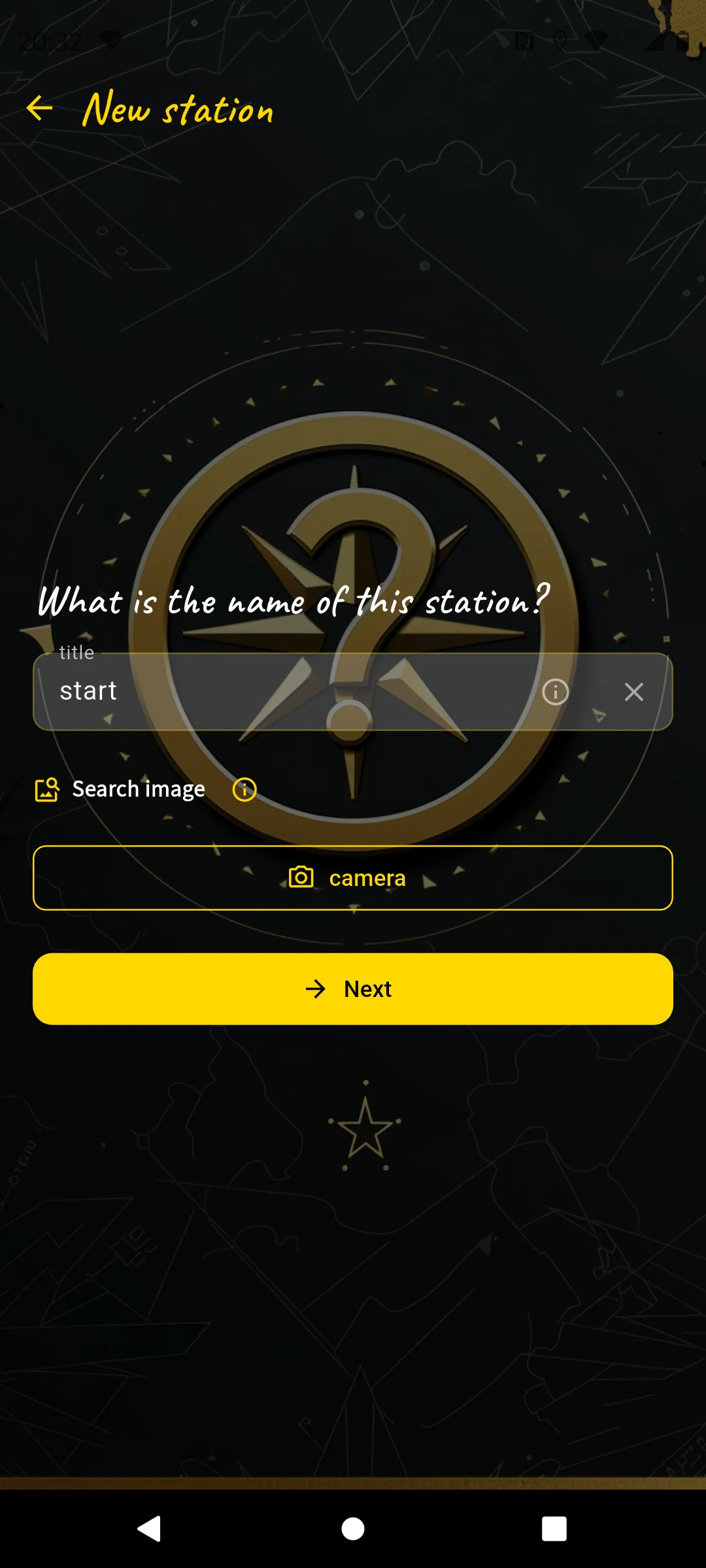
The search image belongs to the course-wide matching task: at every station players pick the matching image.
| Field | What you enter |
|---|---|
| Task text | The actual question or instruction. It should guide the players’ attention. |
| Answers | One or more valid solutions. Capitalization does not matter. |
| Hints | Optional, ideally staged from general to concrete. |
| Task photo | Optional image shown in the puzzle. Very useful for details. |
| Displayed solution | Optional clean text shown when the solution is later revealed. |
The Three Answer Types
= Karl accepts only “Karl”.⊃ cherry accepts “old cherry tree” or “the cherries at the gate”.# 18 accepts “18”; # 3..19 accepts every number from 3 through 19, inclusive.Place: church with candle stands
Question: “How many large metal candle stands are next to the altar?”
Answer: # 6
Hints: “Count only the large stands.” → “Look directly next to the altar, not at the window sill.”
Place: grave with the inscription “Hier ruht Walter Meier”
Question: “What does Xbmtfs stand for here?”
Answer: = Walter
Hints: “Caesar cipher” → “Shift by 1” → “Compare it with the inscription.”
A shift by 1 is usually enough. The appeal comes from recognizing it on site, not from complicated cryptography.
Place: grave with the inscription “Hier ruht Walter Meier”
Question: “Hier 67 79 ?”
Answer: # 50
Hint: “Letter values”
Calculation: ruht = 67, Walter = 79. The question mark therefore stands for Meier: M=13, E=5, I=9, E=5, R=18, total 50.
Best Practices
- Use the task photo whenever possible so players know which detail is meant.
- Accept variants if people might spell the answer differently.
- For numbers, use the number type. It reduces frustration and avoids letter guessing.
- Stage hints: first narrow the topic, then give a time or factual context, then almost reveal the solution.
3. Multiple Choice easy
Multiple choice is the tap-based version of a question-answer task. Players choose from several options. The station is solved only when exactly all correct and no wrong answers are selected.
| Field | What you enter |
|---|---|
| Task text | A question where several statements or objects may be correct. |
| Answer list | At least two options. Mark each as correct or wrong. |
| Hints | Optional. Useful if the selection is large or the place is confusing. |
| Task photo | Optional image that shows or narrows down the relevant spot. |
When to use it?
Use it when players should compare several things: Which animals are visible? Which colors occur? Which names are on the board? Which statements match the monument?
Place: information board at the park entrance
Question: “Which tree species are named on the board?”
Correct: oak, linden, maple
Wrong: pine, birch
Best Practices
- Mix correct and wrong answers meaningfully. Avoid obvious nonsense options.
- Make wrong answers plausible but verifiably wrong on site.
- If only one answer is correct, the type still works, but the question must be very clear.
- Use a task photo if players would not know which board, facade or figure you mean.
4. Fill in Words medium
In this type, players find several words directly at the place: on signs, boards, reliefs, gravestones or facades. You define the word length and mark one or more important letters. In the player view, those boxes show position numbers; you arrange the marked letters into the solution word.
| Field | What you enter |
|---|---|
| Task text | One shared question or search instruction for the full word list. |
| Words | At least one word with marked letters. The marker appears as a question mark in the editor. |
| Solution order | Move the marked letters with arrow buttons until they form the solution word. |
| Solution hints | Optional hints for the final solution word. |
| Task photo | Optional image that narrows down the search area. |
Place: animal-park entrance with several information boards
Question: “Find the animal names on the boards and fill them in.”
Words: CAMEL, TIGER, EAGLE; the marked letters are arranged into “CAT”.
Best Practices
- Use words that are really visible on site and have an unambiguous length.
- Mark letters in different positions and arrange them so the solution word is not immediately obvious.
- Use a task photo when several signs or inscriptions are close together.
5. Digits as Symbols medium
This type turns numbers into a small code system. You enter a question with a visible number, for example a year on a building. The app replaces digits with symbols and creates calculation clues that let players decode the digits 0 to 9.
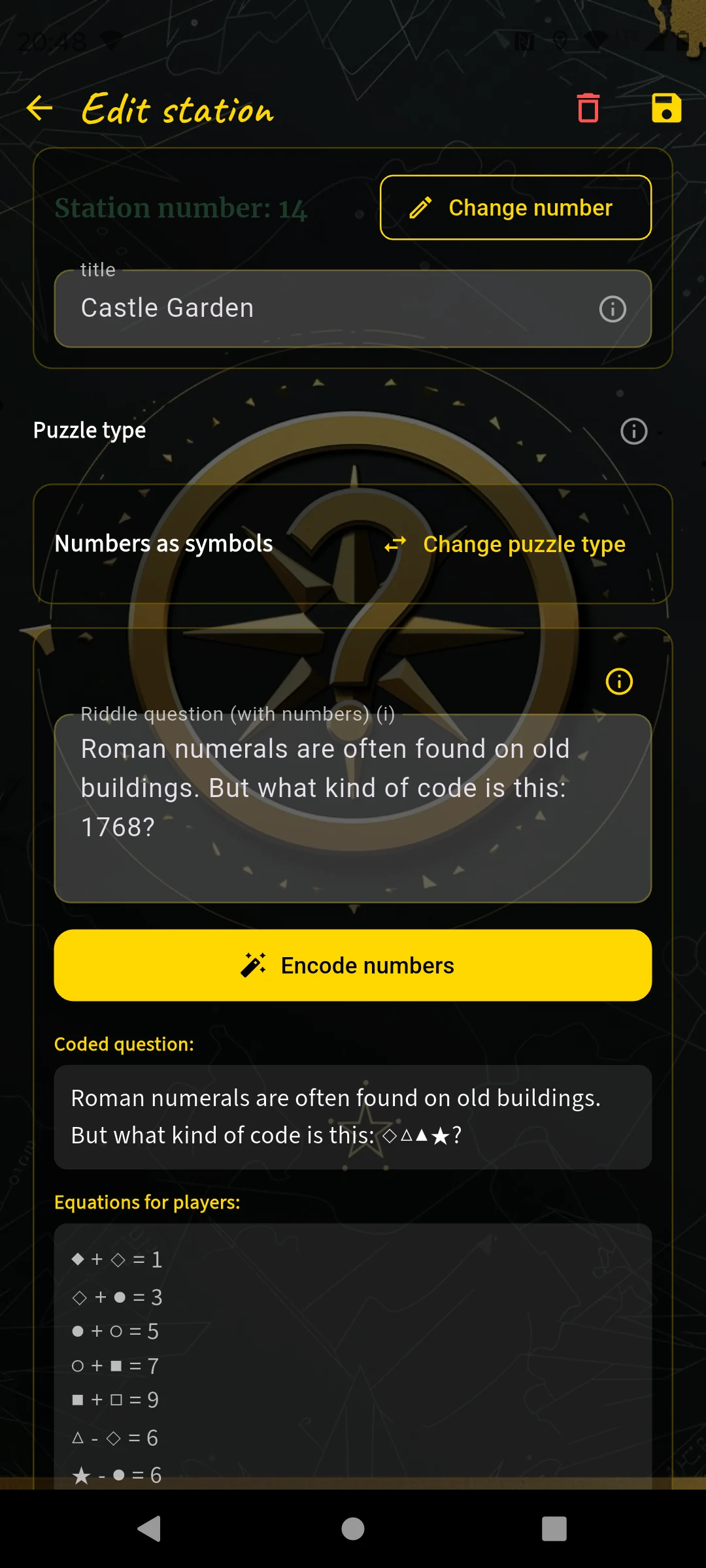
Enter a number, encode it, then digits are replaced by symbols.
| Field | What you enter |
|---|---|
| Raw question | Your text with the number that will be encoded. |
| Encode | The app replaces digits with symbols and creates equations. |
| Hints | Optional. For example where the number can be found on site. |
When to use it?
Use it when a longer number is visible: year, row of house numbers, bridge date, monument inscription, kilometer marker, sign number, inventory number. A four-digit number works best because players already know several symbols from the context.
Place: castle garden gate
Raw question: “The year 1768 is written on the gate. Decode the code and enter all digits for the symbols.”
Hint: “The number is in the upper arch of the gate.”
Best Practices
- Do not use a number that is tiny or hard to access.
- Four-digit years are ideal. Two-digit numbers often provide too little context.
- Do not hide the number completely. The challenge is decoding, not endless searching.
6. Swap Tiles medium
For swap tiles you photograph a motif. The app splits it into 9 or 12 pieces and shuffles them. Players swap tiles until the picture is correct again. The picture should be visible on site.
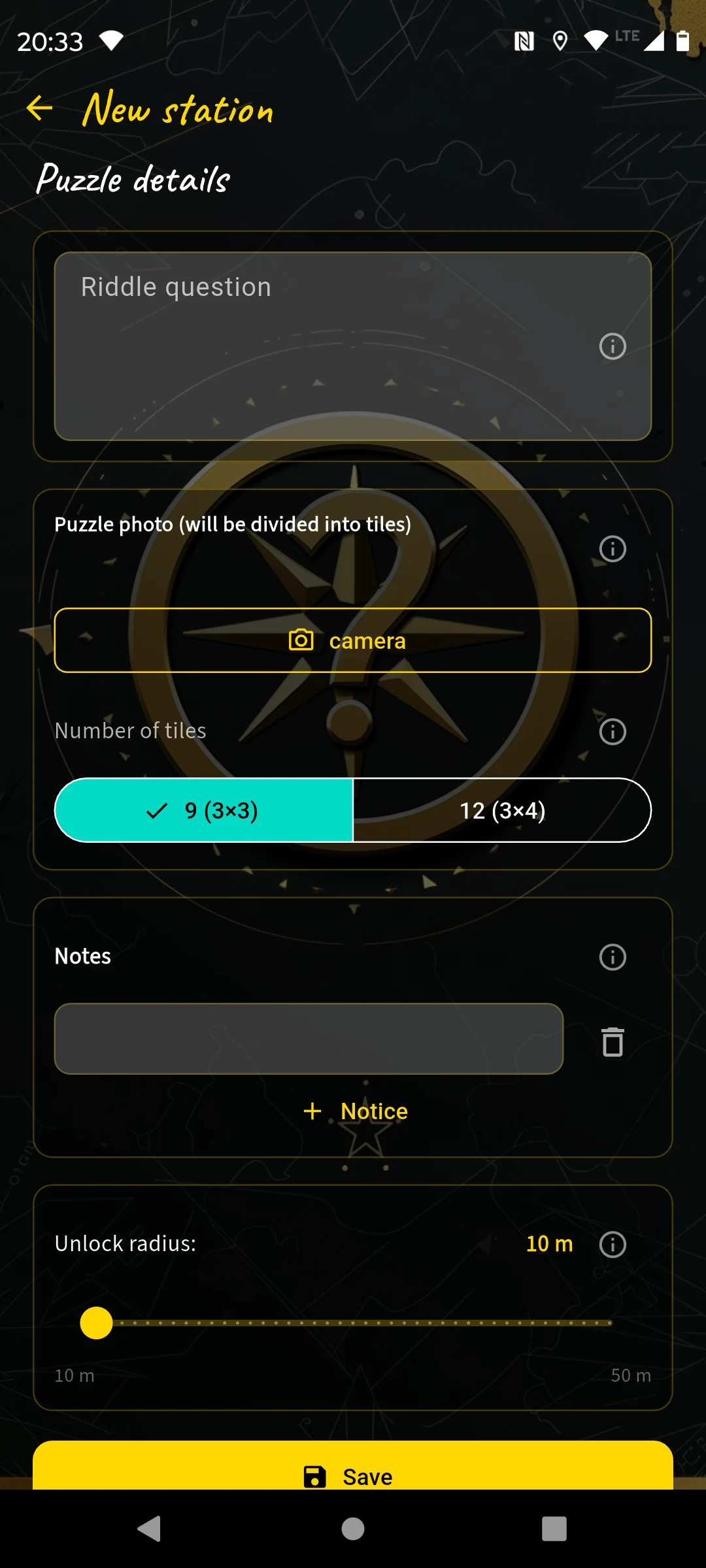
Take a photo, choose the grid size, done.
| Field | What you enter |
|---|---|
| Image | A photo with a clearly recognizable motif and enough details. |
| Number of tiles | 9 tiles for easier, 12 tiles for harder. |
| Hints | Lead players to the visible motif if the tiled image is not immediately found. |
When to use it?
Use it for facades, gates, fountains, murals, mosaics, sculptures, signs or distinctive natural details. The tiles must be distinguishable. A uniform brick wall is boring; an archway with ornaments works well.
Place: old city gate
Image: the archway from the front, with coat of arms, stones and shadows.
Hint: “Stand right in front of the left arch and compare the shapes.”
Best Practices
- Make sure players can really see the original.
- Use 9 tiles for short courses, early stations or motifs with many similar areas.
- Use 12 tiles deliberately: it is much more difficult and fits later in the course or with very clear motifs.
- Avoid photos with lots of similar sky, grass or paving.
7. Spot the Difference medium
Here you photograph a real motif and edit a copy: add small gadgets or mark areas that differ from the original. Players compare the app image with reality and tap the matching fields.
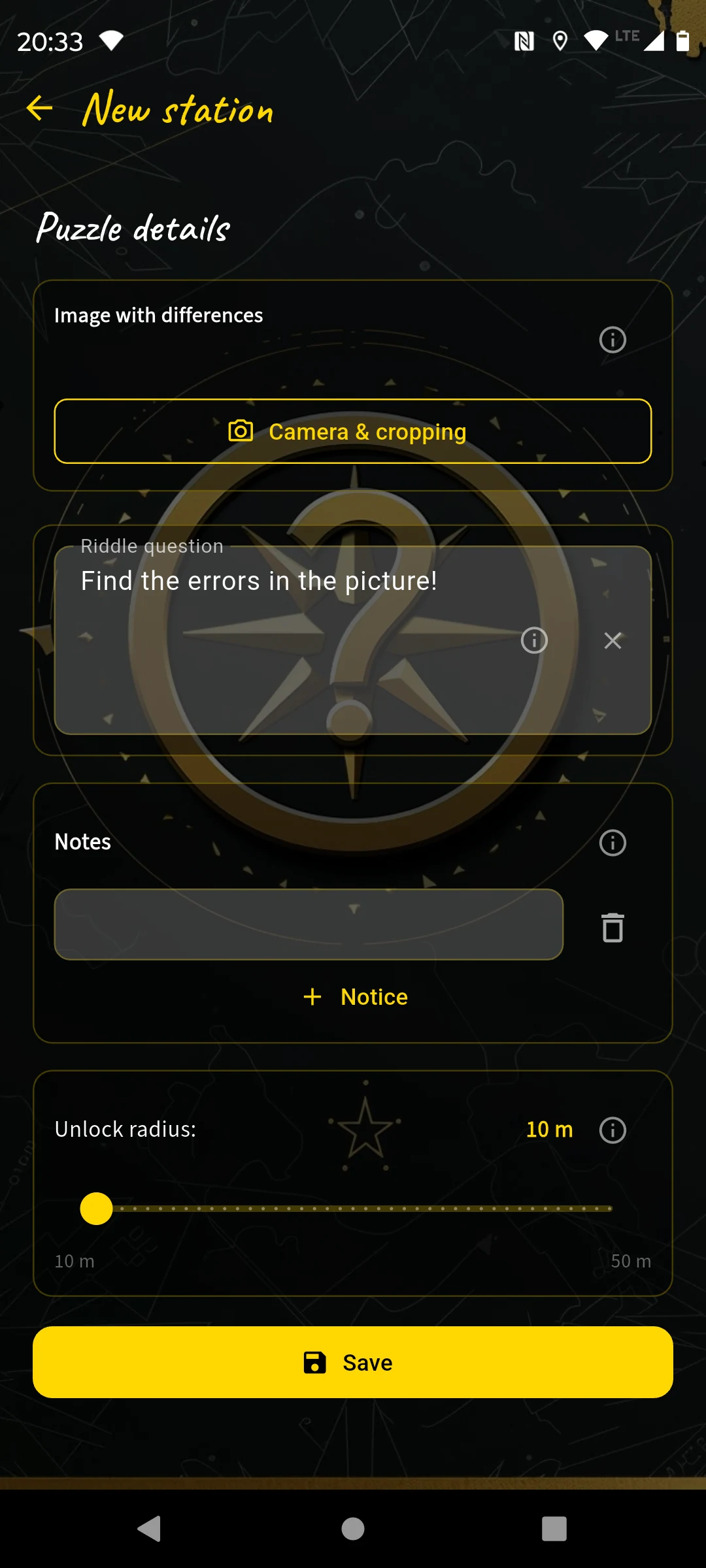
Take the original image and add differences.
| Field | What you enter |
|---|---|
| Original image | Square photo of the motif, sharp and well lit if possible. |
| Differences | Gadgets or edits in the image. |
| Puzzle question | A short prompt such as “Find the 3 differences!” |
| Hints | Optional. For example viewing direction or relevant image area. |
When to use it?
Use it when the place has a stable, comparable motif: monument, bench, sign, mural, gate, fountain, window front. The motif should not often be blocked or change too much with light conditions.
Place: historic bench in the park
Edit: three small flowers appear in the app image where none exist in reality.
Task: “Compare the image with the bench in front of you. Which fields are wrong?”
Best Practices
- Use gadgets that fit the image. A small symbol on a monument works better than a huge foreign object.
- Do not place differences directly at the edge if they are hard to tap on small screens.
- The invisible marker is useful when you use an externally edited image and only want to mark changed spots.
- Do not use too many differences. Two to four are usually enough.
8. Direction Walk medium
The direction walk is a small navigation puzzle. Players follow a sequence of directions and instructions using the compass. At the end they answer a question. This type is perfect when the path itself should be part of the puzzle.
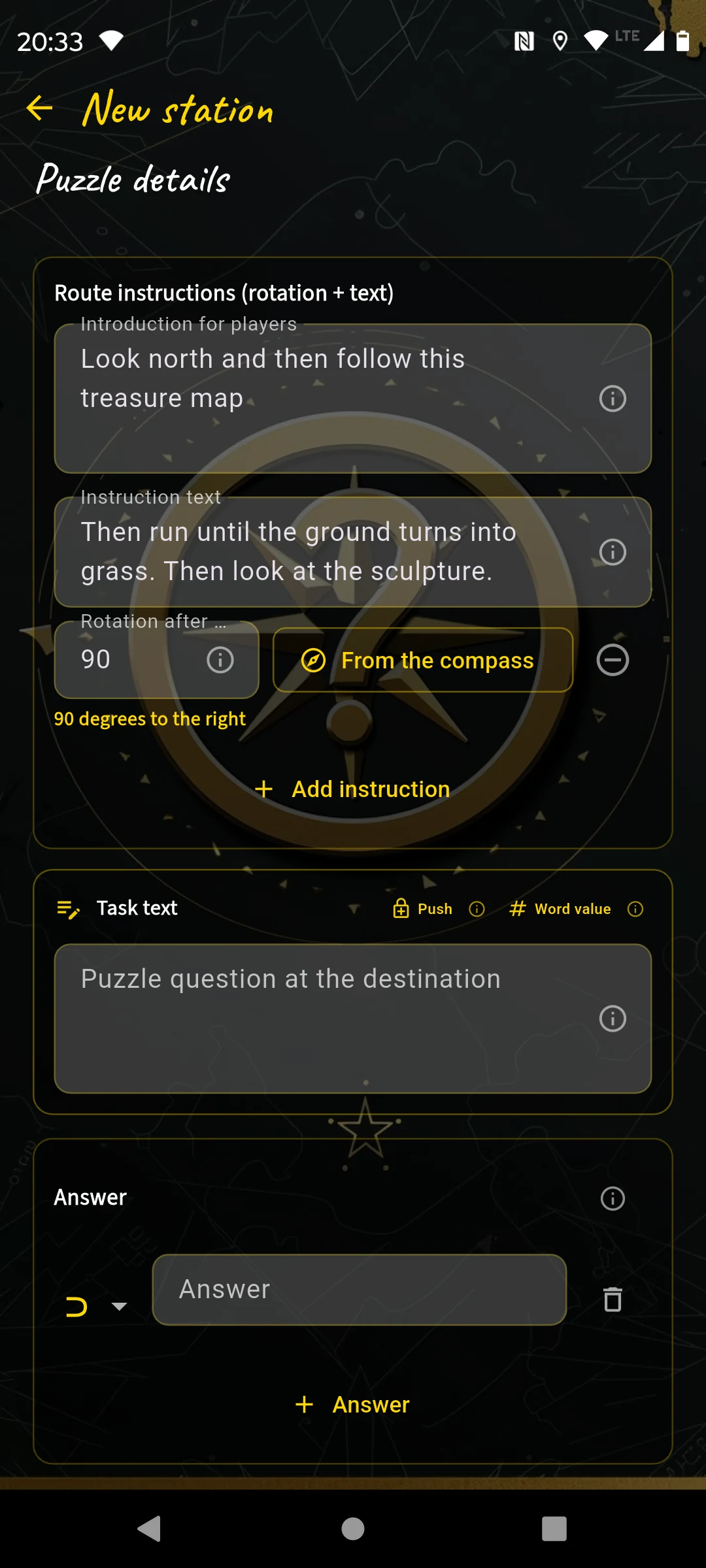
Intro, route segments and final question.
| Field | What you enter |
|---|---|
| Introduction | Where do players start and how should they face? |
| Segments | Turn, direction and text: “Walk to the lamp”, “Follow the path to the fountain”. |
| Final question | A question that can only be answered at the end. |
| Answers | As with “Question with Answers”: exact, contains or number. |
When to use it?
For parks, avenues, squares, courtyards, castle grounds, harbors or paths with several branches. It is especially nice when the movement itself is fun, not just another “read the sign” moment.
Start: entrance to the lime-tree avenue
“Look north and walk to the first lamp.”
“Turn 70 degrees right and follow the path to the gravel.”
“Turn 35 degrees left and walk to the metal object.”
Final question: “What is directly in front of you?” — answer: ⊃ hydrant
Best Practices
- Use at least three segments. A single right angle quickly feels arbitrary.
- Do not use only 90-degree turns. Small angles make the compass more interesting.
- Every segment needs a visible intermediate goal or players walk too far.
- Plan a safety question at the end so it is clear that the group arrived correctly.
9. Sort Images complex
For image sorting you create six images and six terms. You decide how the task is meant: players may assign terms to images or assign images to terms. The order in the editor is the solution; in play the matching is shuffled.
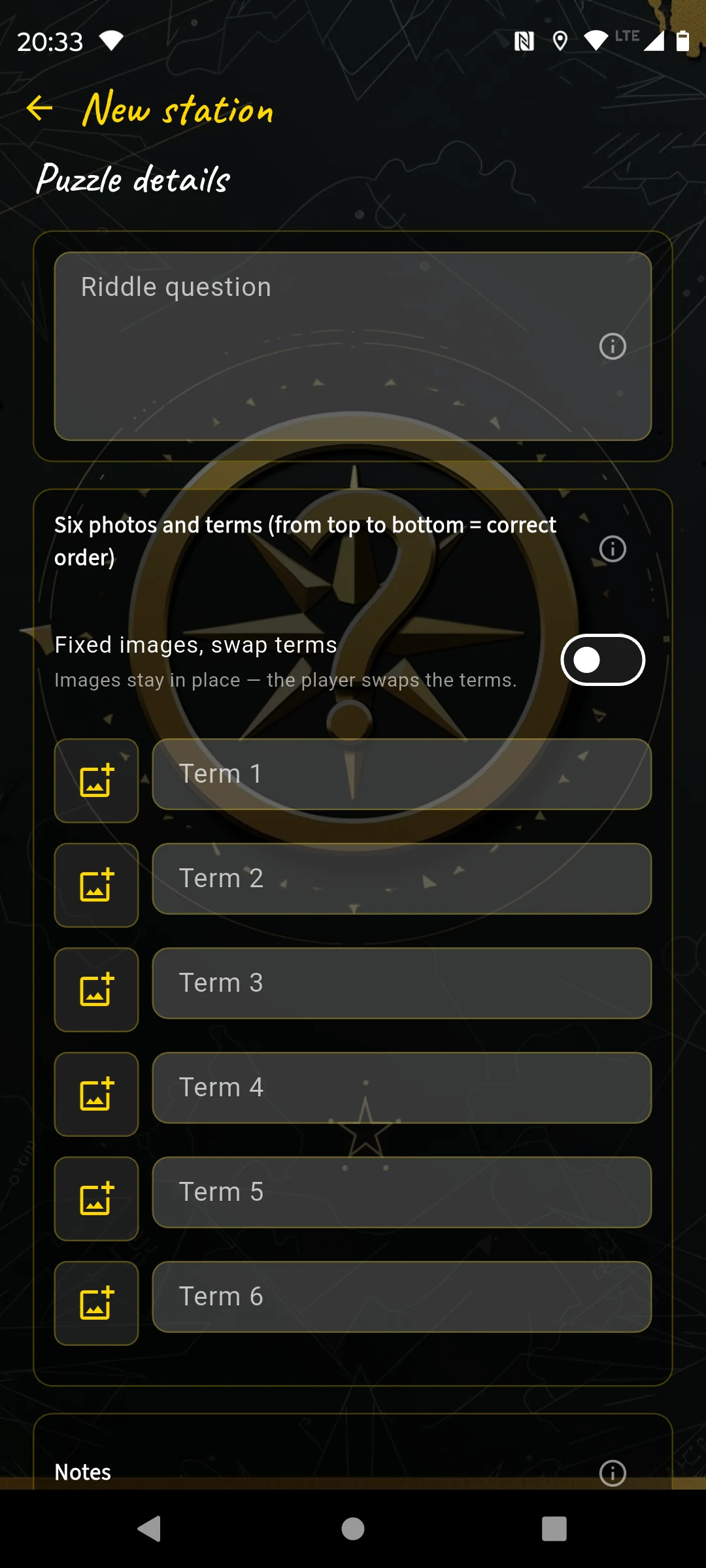
Six photos, six terms, one correct matching.
| Field | What you enter |
|---|---|
| Question | What should be matched and in which direction: terms to images or images to terms? |
| Six images | Square photos or prepared motifs. |
| Six terms | The labels paired with the images. |
| Hints | Optional. Useful if the motifs are similar. |
When to use it?
Use it when several things at the place can be compared: six coats of arms, figures, reliefs, plants, window shapes or historical stations. It also works when players assign terms to objects while the photos show only small close-up details. These details must be clear enough to recognize on site.
Place: fountain with six reliefs
Terms: “lion”, “fish”, “swan”, “shell”, “eel”, “frog”
Task: “Match the detail photos to the animal motifs on the fountain.”
Best Practices
- Images must be distinguishable, but not trivial. Good differences are in the details.
- Make sure all six terms can be found on site or logically inferred.
- Avoid orders only you know. Players need a verifiable match.
10. Crossword complex
The crossword is the most extensive puzzle type. You enter five questions and five solution words; the app automatically builds a grid. Players solve the clues and enter the words into the grid.
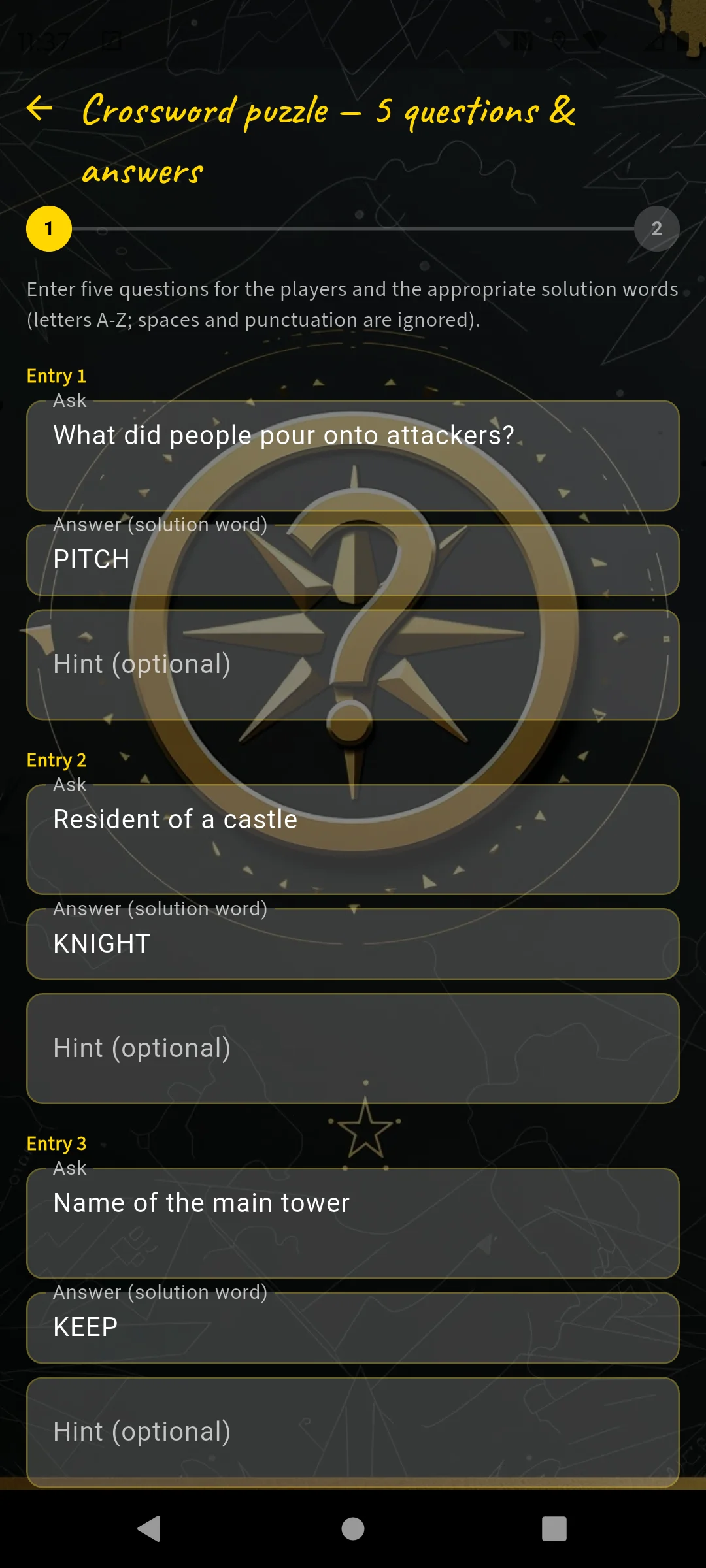
Enter five questions and answer words.
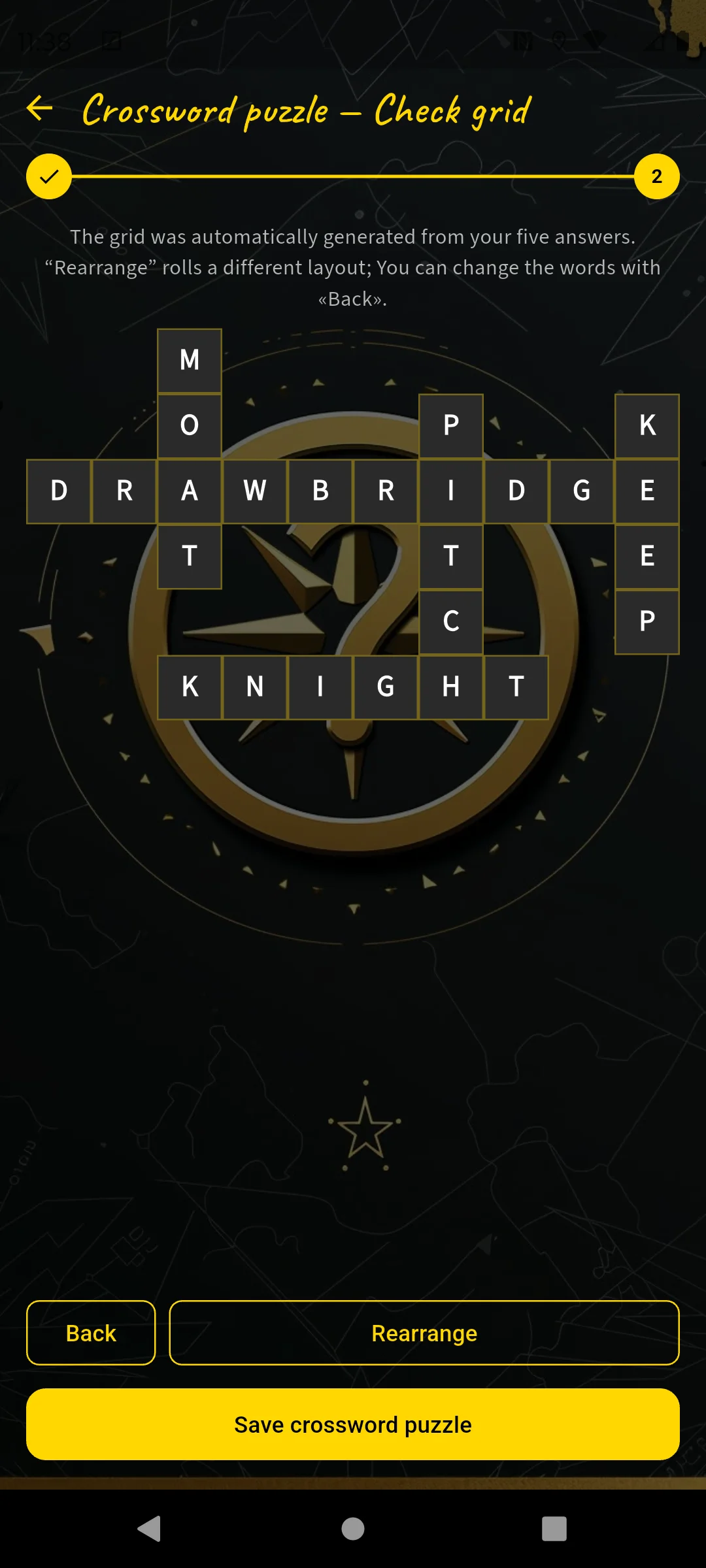
The grid is generated automatically and can be rearranged.
| Field | What you enter |
|---|---|
| 5 questions | Short, clear clues, ideally with a place reference. |
| 5 solution words | Answers without spaces, ideally different lengths. |
| Check grid | The app creates a layout. Rearrange or adjust words if needed. |
When to use it?
Use it when a place offers several pieces of information at once: castle grounds, museum courtyard, monument ensemble, historic square, nature trail, viewpoint with many details. The crossword works well as a highlight later in the course.
“What protected castle gates?” → DRAWBRIDGE
“What is the water ditch called?” → MOAT
“Castle resident?” → KNIGHT
“Name of the highest tower?” → KEEP
“What was poured down for defense?” → PITCH
Best Practices
- Do not use too many long words. One long word and several shorter ones usually make better grids.
- Give every word a clear place reference. Pure general knowledge feels less like outdoor escape.
- Avoid ambiguous spellings. If needed, make the clue explicit.
- Test the grid in preview and rearrange it if it looks hard to read.
Mini-games before puzzles
Mini-games are not an eleventh puzzle type. They are short gates before the actual station task: players first complete a quick action on the phone, then the real puzzle appears. This adds motion, surprise and a small success moment without changing the puzzle content itself.
The puzzle type defines what players solve at the place. The mini-game defines how they enter that puzzle moment: remembering a sequence, tilting the phone, shaking it, aligning the compass, reacting to colors, tracing a line or completing another short sensor/touch challenge.
| Editor area | What it means |
|---|---|
| Before the puzzle | Select a mini-game or choose none. Existing stations can also remove it again. |
| Automatic distribution | New stations can receive varied mini-games automatically so the course does not repeat the same small action too often. |
| Player flow | Mini-game first, then puzzle. Search-image matching stays hidden until the gate is done. |
| Time limit | Every mini-game has the same hidden 90-second auto-bypass and shows a small countdown clock without displaying the exact value. |
Which mini-games are available?
| Mini-game | Short explanation |
|---|---|
| Memorize sequence | Remember a short sequence and tap it back in the right order. |
| Tilt sequence | Tilt the phone in all four directions according to the displayed combination. |
| Hold level (10s) | Hold the phone still and as level as possible until progress is full. |
| Shake unlock | Shake the phone until the task unlocks. |
| Compass align | Align the phone with a given compass direction and hold it briefly. |
| Tap rhythm | Tap the screen in the given rhythm. |
| Hold angle | Rotate the phone to a target angle and keep it within 5 degrees. |
| Pulse tap | Collect hits by tapping at the right moment. |
| Color react | Tap only on blue; the blue target appears regularly. |
| Finger trace | Trace a line cleanly with your finger. |
| Shadow match | Match or align a shape or silhouette. |
| Swipe sequence | Perform a short swipe sequence in the right directions. |
| Balance line | Keep the phone steady enough to hold a balance line. |
| Falling number tap | Tap the matching falling number at the right moment. |
| Safe PIN | Map tilt directions to digits and derive the PIN. |
| Code wheel | Set three symbol wheels and check the full combination. |
| 3-5-8 liters | Pour between three vessels until exactly 2 liters remain. |
| Towers of Hanoi | Solve a prepared Hanoi endgame in a few moves. |
| Frog swap | Move the frogs to the opposite side by jumping cleverly. |
| Wolf sheep cabbage | Bring farmer, wolf, sheep and cabbage safely across by boat. |
| Number sequence | Pick the correct next value from five answer buttons. |
| Mini maze | Mentally follow the shortest route through a 5x5 maze and enter its code. |
When to use them?
Use mini-games when a station should feel more physical or playful before the thinking part begins: a short movement at a viewpoint, a reaction task before a simple question, a compass alignment before a direction-heavy station or a memory sequence before a code. They are especially useful on routes with many text-heavy tasks.
Place: viewpoint above the old town
Mini-game: Memorize sequence
Puzzle after it: “Which year is written below the tower clock?”
Why it works: the group gets a short playful opener before they search together for the actual observation.
Best Practices
- Think of mini-games as rhythm, not as the main challenge.
- After two or three reading-heavy stations, a short motion gate can make the course feel alive again.
Station notes as extra material
Station notes are not their own puzzle type. They are optional extra text at the end of a station, visible via the note icon on the map. The text can be available before solving or only afterwards. This is useful when you want to add information that makes the place richer without overloading the actual puzzle.
| Field | What you enter |
|---|---|
| Extra text | Historical notes, small story texts, source notes, story fragments or a short explanation after the solution. |
| Visibility | Before solving for city history, orientation or background; after solving for a reward, atmosphere or mystery reveals. |
| Markup | Minimal: **bold**, __italic__ and # Heading. The web editor offers formatting buttons; in the app you enter the markup directly. |
Station: Market square
Visible: before solving
Station note: # The market in the 18th century — The square was not only a trading place, but also a meeting point for public announcements. The fountain marked the old town’s most important water source.
Station: town hall tower
Visible: only after solving
Station note: **Witness statement:** __At midnight, a light was still burning in the tower.__ This gives the group a narrative clue after the correct answer without making the solution text too long.
Best Practices
- Use station notes for extra knowledge, atmosphere or rewards, not for information required to solve the puzzle.
- Keep the actual puzzle text short and move longer background into the station note.
- If the text reveals the answer or a story twist, set it to “only after solving”.
Good Mix in a Course
A course with 12 to 20 stations should feel like a small story. At the beginning players want confidence, in the middle it may get trickier, and at the end everything should feel like the final stretch. Puzzle types help you build that rhythm.
One possible 15-station mix
| Stations | Suitable types |
|---|---|
| 1-3 | Question with answers, multiple choice, photo task |
| 4-8 | Digits as symbols, swap tiles, spot the difference, direction walk |
| 9-12 | Sort images, question with answers, swap tiles |
| 13-15 | Crossword, a strong place-based puzzle, a particularly good tile/difference puzzle |
If two consecutive stations require the same kind of thinking, swap one type. After lots of reading, movement fits; after lots of searching, the one photo task in the course can work well; after lots of typing, multiple choice or tiles fit.
Common mistakes
- Too little place reference: The question could be anywhere. Better: use a detail visible only right there.
- Too narrow answers: Players write “post office”, but you accept only “post”. Use “contains” or several answers.
- Too hard first station: The start should build confidence, not block the group.
- Unclear photos: Search images must be clearly assignable per station; task photos must narrow down the puzzle spot.
- Hints reveal too much at once: Better in stages: area, viewing direction, concrete detail.
Choose the puzzle type not by “What is most spectacular?”, but by “What can players do at this exact place?”. Then the course automatically feels more real, fair and varied.